Your Free Mobile plan is working, bills arrive every month, but you’ve never set foot in your online subscriber area. The day you need to change your plan, check a suspicious charge, or activate an eSIM, logging in suddenly becomes an issue. Here’s how to navigate it, step by step, without unnecessary jargon.
Lost access to your Free Mobile number: how to recover your account
Have you ever noticed that your phone number serves as both your identifier, a password reset channel, and a verification method? When this number becomes inaccessible (stolen phone, lost SIM card, ongoing portability), all backup options close at once.
The first thing to do is to distinguish between two situations. If you still have access to the email address linked to your account, you can request a password reset link from the mobile.free.fr login page. The link will arrive in your inbox, and you can regain access without going through SMS.
If you have no access to either the number or the email address, the only remaining option is customer service. Call 3244 from another line. An advisor will verify your identity (name, address, last billed amounts) before unlocking access. Prepare these details before the call to save time.
- Stolen or broken phone: order a new SIM from a friend’s subscriber area or at a Free store, then log in with your usual identifier.
- Number being ported to another operator: your Free subscriber area remains accessible as long as the line is not canceled. Log in quickly to download your bills.
- Inaccessible Free email address: if your @free.fr email is linked to a canceled Freebox, this address may be deactivated. Update your contact address as soon as possible.
This scenario of losing access also concerns security. After the data breach that affected Free Mobile, manually entering mobile.free.fr in the browser remains the most reliable reflex. Phishing SMS and emails often mimic Free’s login pages. Never click on a link received by message to log into your account.

Logging into the Free Mobile subscriber area: identifier and password
The mobile subscriber area is located at mobile.free.fr. Your identifier is your phone number in the format 06 or 07. The password was sent to you by email when you subscribed. If you have never changed it, look for the Free Mobile welcome message in your old emails.
For those who want to access their Free mobile account from a computer, the procedure is the same: line number and password on the login page. No app is required.
Do not confuse the mobile subscriber area with the Freebox subscriber area. The two accounts are separate, with distinct identifiers. The Freebox area is managed at subscribe.free.fr. If you subscribe to both services, you therefore have two different accesses to remember.
Forgot password on Free Mobile
Click on “Forgot password” from the login page. Free will send you a reset link via email or SMS, depending on the address and number associated with the account. The new password must be long enough and unique. Avoid reusing a password already used on other sites.
Manage your plan and options from the subscriber area
Once logged in, the subscriber area provides access to all regular management of your line. No need to call customer service for most operations.
The plan change takes effect immediately from the online interface. You can switch from a low-cost plan to a plan with more data (or vice versa) at no charge, as Free Mobile offers are commitment-free. The area displays available plans with their prices, and the change can be made in just a few clicks.
Here’s what you can do directly from your account:
- View and download your monthly bills in PDF format. Handy for checking a charge or providing proof.
- Track your data, calls, and SMS usage in France and abroad. Comparing the displayed usage with the billed amount helps identify any potential third-party subscriptions charged additionally.
- Order a new SIM card or activate an eSIM, for example after changing phones.
- Link a secondary line to your account, useful for managing a child’s plan from your own area.
Detect additional charged services
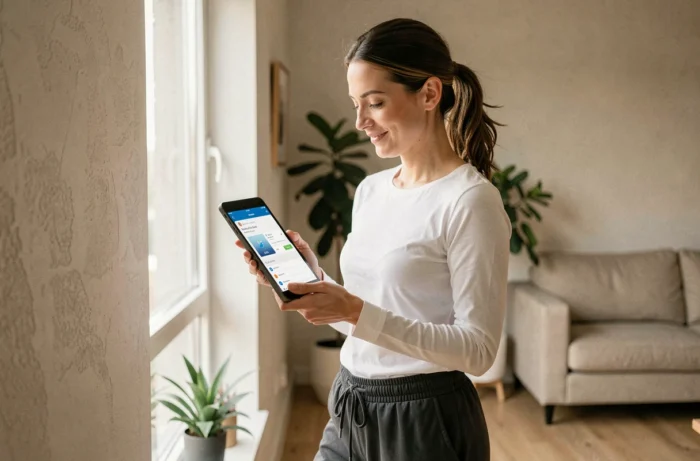
Some paid services (games, weather, horoscope) may be inadvertently subscribed via a premium SMS or a mobile web page. They appear on the bill under the “purchases and subscriptions” section. The subscriber area allows you to block purchases on the mobile bill to avoid any unpleasant surprises. Activate this option if you haven’t done so already, especially on lines used by teenagers.
Free App: manage your account from a smartphone
The Free app (available on iOS and Android) now combines mobile account management and Freebox functions into a single interface. You’ll find the same features as on the website: bill consultation, usage tracking, plan changes.
The app also allows you to track your usage abroad in real-time, preventing unpleasant surprises upon returning from vacation. Usage threshold notifications are customizable.
A practical detail: if you have both a Free Mobile plan and a Freebox, the app unifies the management of both subscriptions. No more juggling between two sites or two different identifiers. Log in once, and switch from one account to another without re-entering your codes.
Logging into the Free Mobile account generally poses no difficulty when you know your identifier and password. The real trap occurs the day the phone is no longer there. Updating your contact email address, noting your identifier in a password manager, and activating the purchase blocking on the bill are three actions that take just a few minutes and save hours of hassle when the time comes.